Roll Call
Attendance you can carry out the door.

Get the highlights.
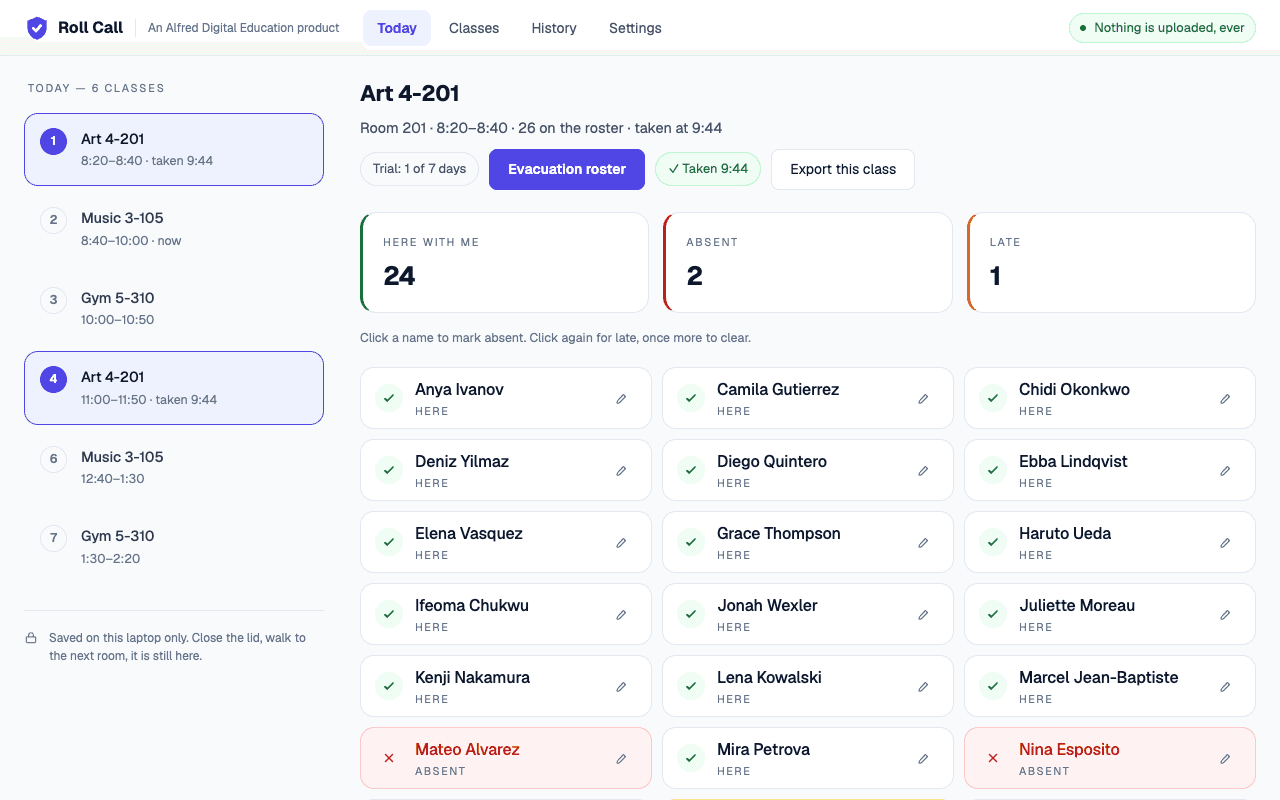
Pick the period, mark the students who are absent or late, and you are done — everyone else is here by default. The roster is big type on one screen, because you are reading it standing up with thirty children in front of you.
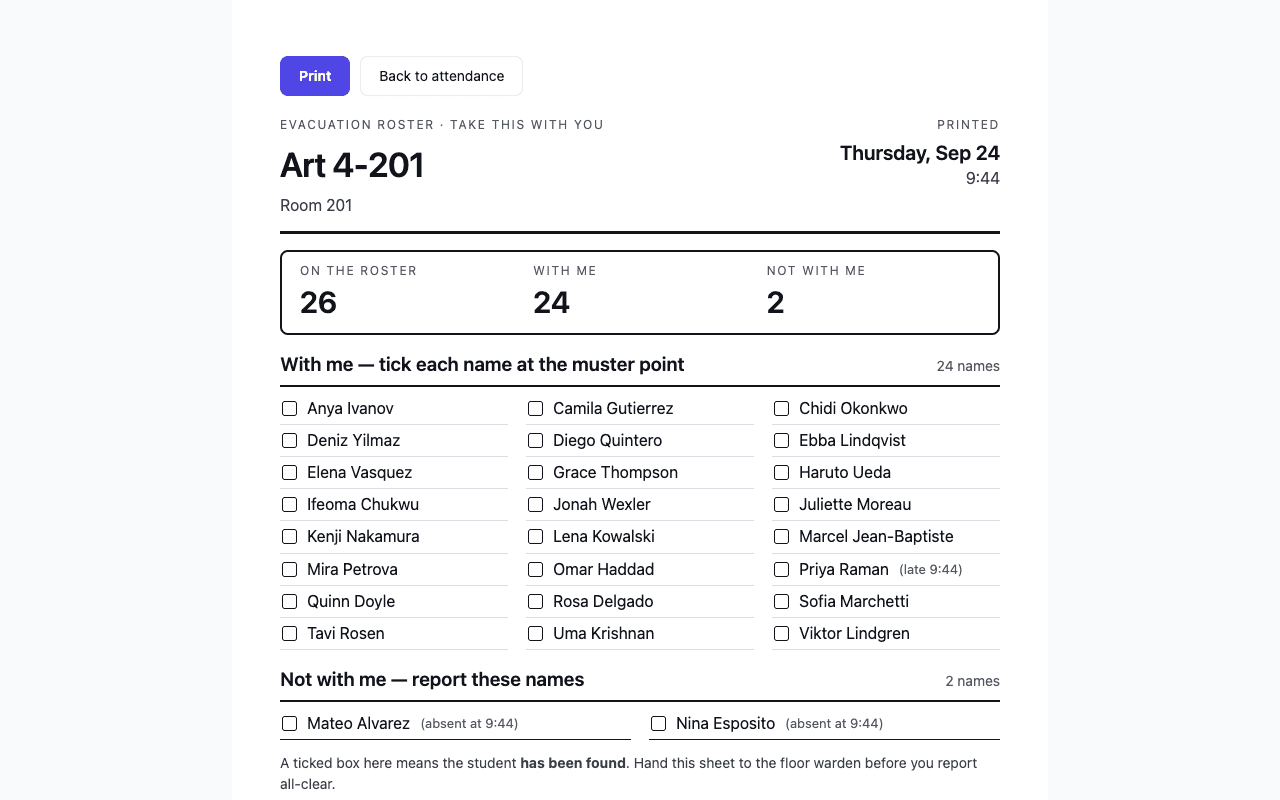
Print the class you have right now on one sheet: who is on the roster, who is out, who arrived late, and the time you took attendance. A late student prints on the sheet with you, because that is where they are.
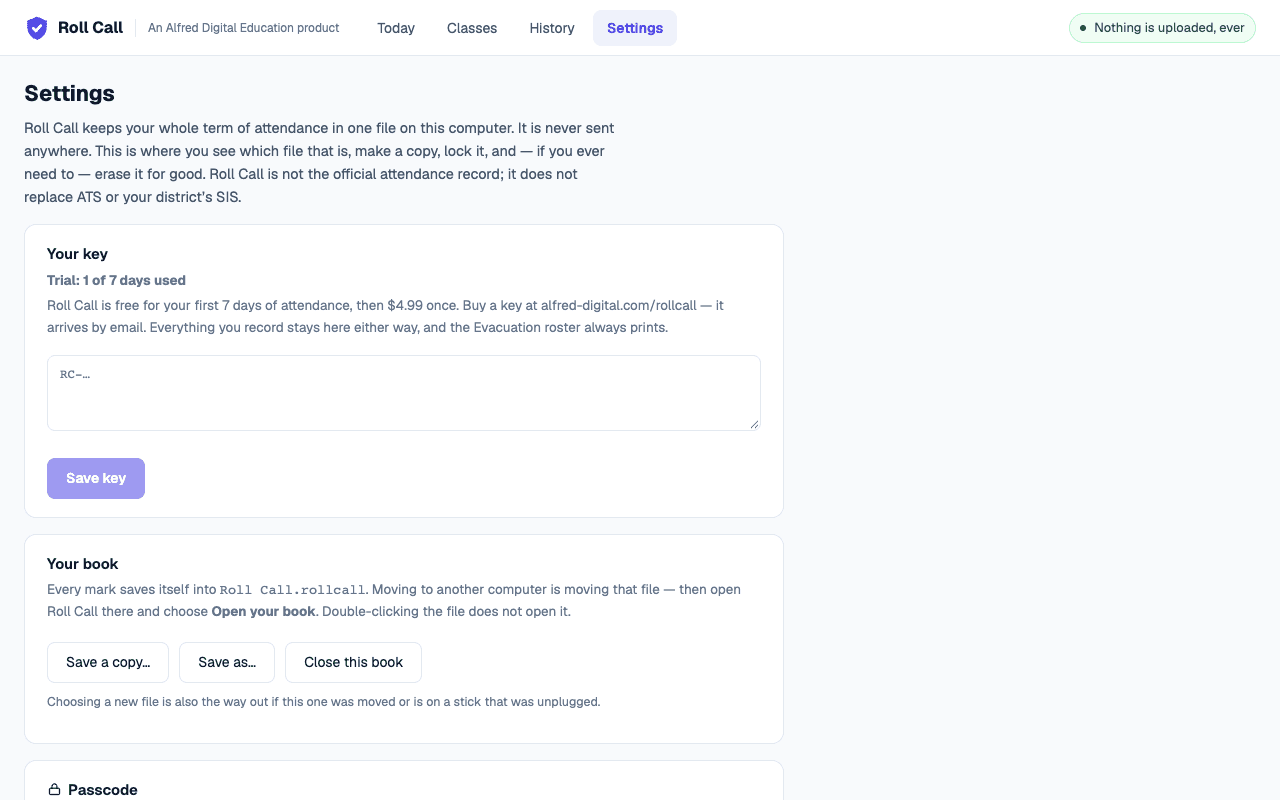
Your whole term of attendance is one .rollcall file on your computer, saving itself as you work — keep it in Documents, or on a flash drive you carry between rooms. Moving to another computer is moving that file. On a shared cart, a passcode locks the book on disk, and Close this book hands the laptop to the next teacher without giving away yours.
Roll Call opens in a browser, but that is all it has in common with a website. There is no account to make, no company server behind it, and nowhere for a class list to be sent — a test on every release fails if a single line of code that could reach the internet appears in the file. Your students' names are written to your computer and stay on your computer. That is the whole promise, and it is why Alfred Digital builds these tools this way.
Your attendance is not hidden inside the browser: it is a .rollcall file you can see in Documents, copy to a flash drive, or keep in a school OneDrive folder. Roll Call writes to it as you mark each class, so there is nothing to remember to save — and Save a copy puts a backup anywhere you like. Move the file, and your term moves with it.
Built with
See it work.
Teaching six classes tomorrow?
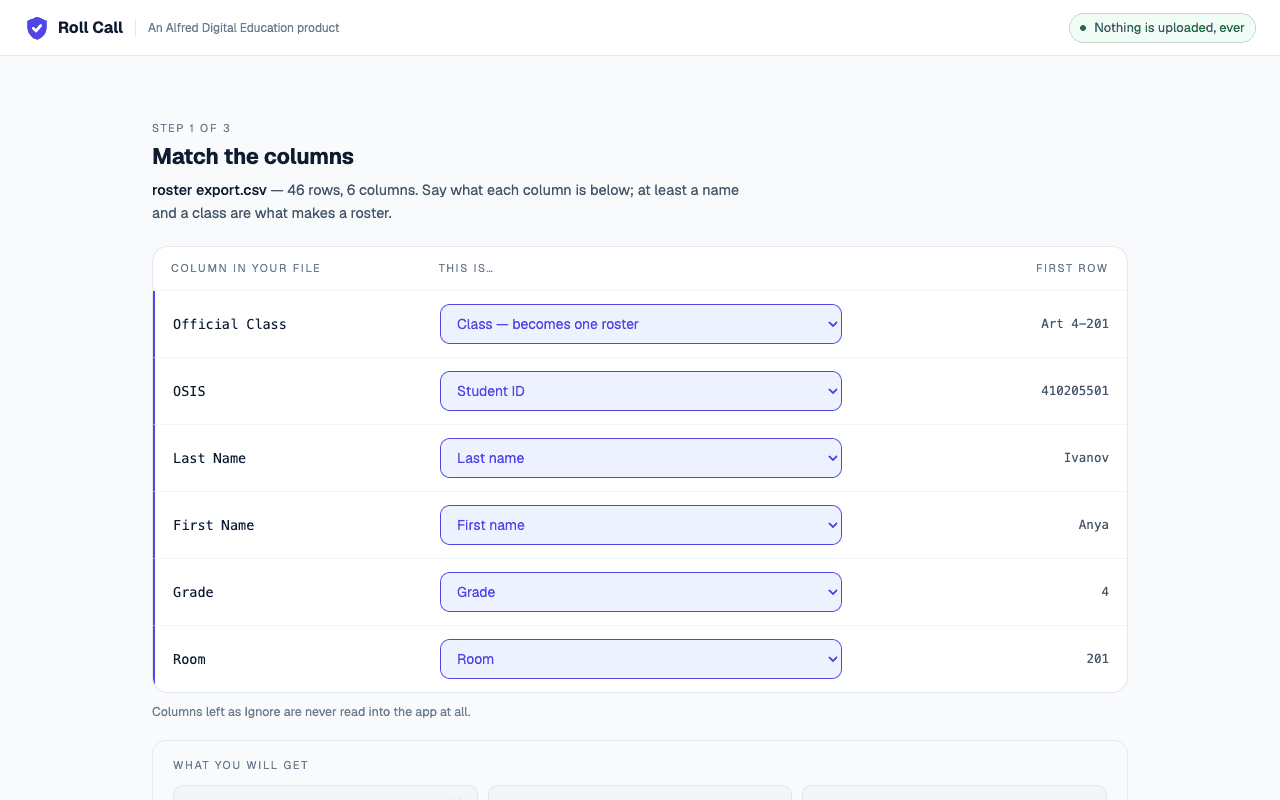
Free for your first 7 days of attendance then $4.99 once — and no account ever. Set your classes up once — from a roster export, or typed in by hand — and your book is a file on that computer, ready for the rest of the year. Works in Chrome or Microsoft Edge.
Open Roll Call